A broken link doesn't crash your store or send you an alert. It just sits there, sending shoppers to "Page not found" while you look at the parts of the store that still work. So it can stay live for weeks unnoticed.
- Most broken links on Shopify come from everyday changes: deleted products, changed handles, old campaign links and theme edits.
- Each one loses the shopper who clicked it, and tells Google the page no longer exists.
- Fix them with a URL redirect to the closest match, then update the link at its source.
- Scheduled scans catch new breaks before your shoppers do.
How links break on a Shopify store
Links usually break as a side effect of normal store work:
- Deleted products. You remove a discontinued item, but it's still linked from a blog post, a collection banner or a past email.
- Changed handles. You rename a product or collection URL for SEO, and the old address stops working unless a redirect points it somewhere.
- Old campaign links. A seasonal landing page gets deleted, while ads, social posts and influencer bios keep pointing to it.
- Theme edits. A new theme or a code edit drops a menu, a button or a hard-coded link to a page that has moved.
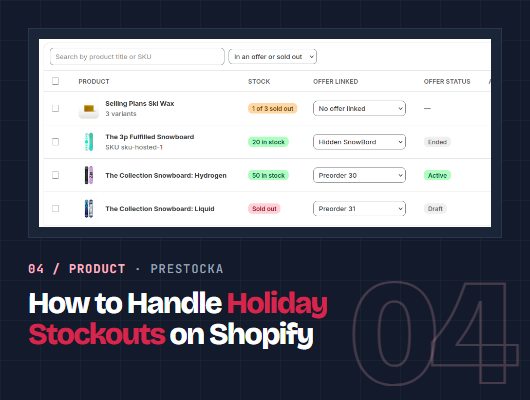
Before you delete a product that is only out of stock, ask whether the page could keep working instead. Turning "Sold out" into preorders keeps the URL live and still takes orders, and back-in-stock alerts bring waiting shoppers back to the same page.
What a broken link costs you
The shopper who clicked
Someone who clicks a link has already shown intent. A dead end with a plain error page gives them a reason to leave and no way forward. Nielsen Norman Group has long advised that a 404 page should explain the problem and offer a way on, such as search and useful links.
The click was the hard part. A broken link throws it away.
Search and crawling
Google treats a page that returns a 404 as nonexistent: if it was indexed, it is removed from the index, and Google crawls it less often over time. Links are also how Google finds and understands your pages, so a broken internal link is a dead end for crawlers as well as shoppers.
Watch for soft 404s too: pages that show a "not found" message but tell search engines everything is fine. Google says soft 404 pages continue to be crawled and waste crawl budget, which matters most on large catalogs.

How to find broken links
Start with the sources you already have. In Google Search Console, the Page indexing report lists URLs that returned "Not found (404)" and pages flagged as soft 404s. Then click through your own store: main menu, footer, homepage buttons, top collections and the links in any email or ad that is still running.
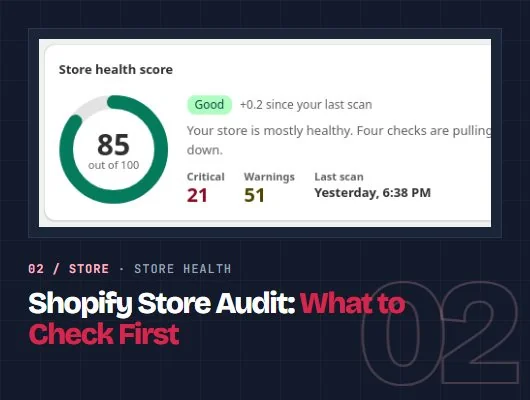
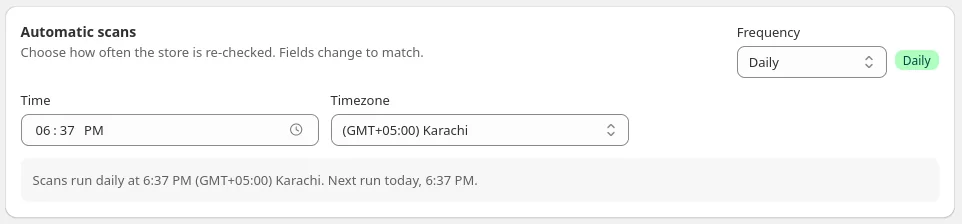
Doing this by hand every week isn't realistic, which is where a scheduled scan helps. Store Health's links check looks for broken links and pages, and its findings are ranked by how far each fix moves your store's health score.
How to fix them
- Pick the right destination.Send the old URL to the closest match: the replacement product, the parent collection or the new campaign page. Google warns that sending many unrelated URLs to the homepage can be treated as a soft 404.
- Create a URL redirect.In Shopify admin, go to Content > Menus > URL Redirects and create a redirect from the old path to the new one. Redirects work right away, and you can import many at once from a CSV file.
- Fix the link at its source.Update the menu, button or blog post too, so shoppers and crawlers go straight to the right page.
- Avoid chains.Point each old URL straight to its final page. A permanent redirect tells Google the new address is the one to show.
One limit to know: Shopify only lets you redirect URLs that are actually broken, so a live page has to be removed before its redirect takes effect.
Keep it from happening again
- Before deleting a product or page, decide where its URL should go.
- When you change a handle, add a redirect from the old URL the same day.
- Keep a list of live campaign links and check them when a campaign ends.
- After a theme change, click every menu and footer link.
- Run a scheduled scan and compare reports to confirm fixes held.
Broken links are one part of a wider check. For the full order, see Shopify store audit: what to check first, and if you link from blog posts to products, turning blog readers into buyers shows why those links are worth keeping healthy. You can also see what Store Health does on the Store Health page, or browse more guides on the CherryBytes blog. Questions about your own store? Contact the CherryBytes team.
Questions merchants ask
Are 404 errors bad for my Shopify store's SEO?
A 404 for a page that is truly gone is normal. The problem is a 404 on a page that moved or still gets clicks: Google drops it from its index and shoppers hit a dead end. Redirect those to the closest match.
Should I redirect every broken link to my homepage?
No. Send each old URL to the closest relevant page. Google says redirecting many unrelated pages to the homepage can be treated as a soft 404.
How often should I check for broken links?
After any big change, and on a regular schedule in between. Store Health runs automatic scans daily, weekly or monthly, in your timezone.