
Know your store's health in one number
One scan gives a score out of 100, built from eight checks: theme, scripts, products, discounts, links, files, metafields and AI visibility.
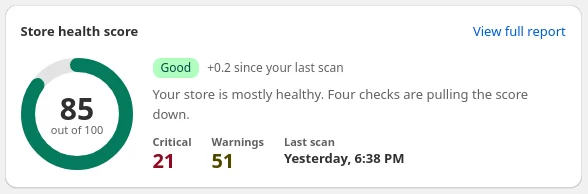
One scan shows what your store is losing, from broken pages to unbought carts, and which fix to make first. Store Health has read-only access, so it never changes anything on your store.

Broken pages, broken links and heavy scripts are easy to miss on a busy store.
Problems are spread across theme, products, discounts, files and metafields, with no single view.
When you do find issues, it is hard to know which one to fix first.
Abandoned carts are lost revenue, but most merchants never see the total value.
Giving an app write access to a live store is a risk many merchants would rather avoid.
One scan gives a score out of 100, built from eight checks: theme, scripts, products, discounts, links, files, metafields and AI visibility.
Findings are ranked by how far each fix moves your score, so you always know where to start.
Revenue tracking shows revenue, visitors, orders and conversion, plus the value of every cart left without a purchase. It needs no theme or checkout code changes.
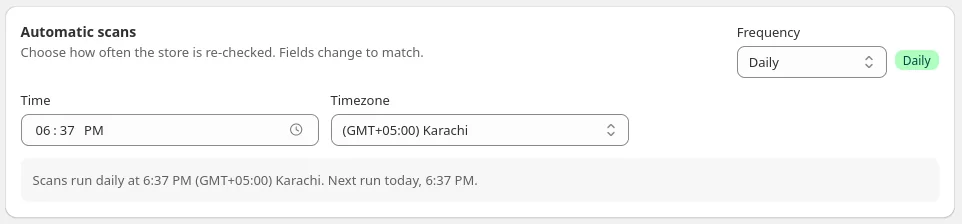
Automatic scans run daily, weekly or monthly in your own timezone, so broken pages and links surface early.
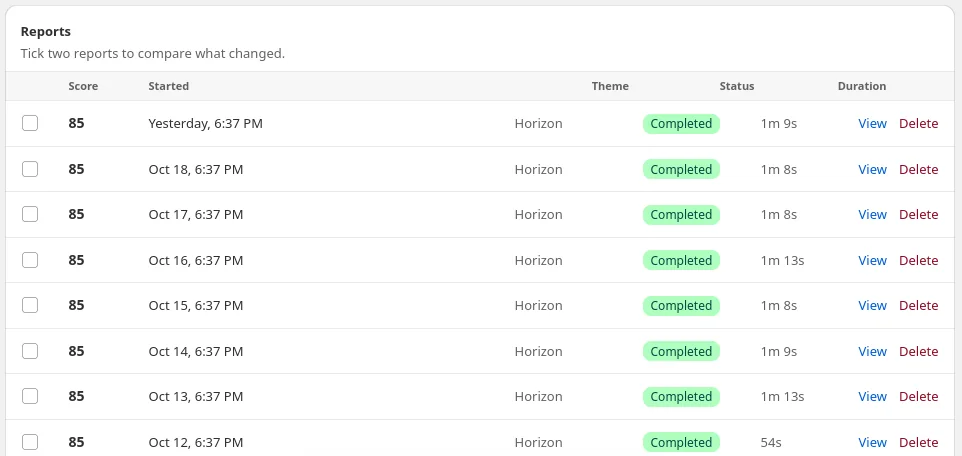
Download any health report as a PDF and compare two scans side by side to prove what improved.
Your live theme and how it is set up
Scripts loaded on your storefront
Your product data
Your active discounts
Broken links and pages
Files stored in your store
Your metafield data
How visible your store is to AI tools
Get a score out of 100 and a ranked list of findings.
Start with the finding that moves your score the most.
Set daily, weekly or monthly scans and compare any two to see what improved.
No. It has read-only access.
It combines eight checks: theme, scripts, products, discounts, links, files, metafields and AI visibility.
No. Revenue tracking needs no theme or checkout code changes.
As often as you choose: daily, weekly or monthly, in your timezone.
Yes. Download any report as a PDF.
Each app installs on its own.
Install CB Store Health from the Shopify App Store.
Install CB Store Health