Shopify shows every payment method you have turned on to every customer at checkout, in its default order. That suits most orders, but not all of them. Cash on delivery on a large order to another country, or a bank transfer on a tiny basket, can cost you more than the sale is worth. Here is how to hide, rename or reorder payment methods so each order gets the options that make sense.
- Hide a method when it is risky or costly for certain orders, such as cash on delivery on high-value or international orders.
- Rename a method when its label confuses customers, and reorder methods to put your preferred one first.
- Shopify supports this through payment customization functions, which apps can set up for you without code.
- Test every rule with orders that should and shouldn't match before you rely on it.
Why merchants hide, rename or reorder payment methods
Cash on delivery on high-value or international orders
Cash on delivery is one of Shopify's manual payment methods. Orders paid this way arrive marked as unpaid, and you mark them as paid once the money is in. That works for small local orders. On a large order, or one shipped abroad, you carry the cost of the goods and the shipping until the customer pays, if they pay at all. Hiding cash on delivery above a cart total, or outside your home country, keeps that risk off the orders where it hurts most.
Manual methods on small carts
Bank transfers and other manual payments mean extra admin: matching the payment, then marking the order as paid. On a very small order that overhead may not be worth it. Hiding manual methods below a set cart total keeps them for the orders that justify the work.
Steering customers to a preferred method
Sometimes nothing needs hiding. You simply want the method that suits your business to appear first, or a label your customers recognise. Reordering and renaming change what customers see without removing their choice.

How Shopify supports payment customization
Shopify handles this through the Payment Customization Function API, part of Shopify Functions. A payment customization function reads the checkout, such as the cart total and the shipping country, and tells Shopify which methods to hide, rename or move. A few points from Shopify's documentation are worth knowing:
- A store can have at most 25 payment customization functions active.
- Some extra operations, such as setting payment terms, are limited to Shopify Plus stores. Hiding, renaming and reordering are the core operations.
- Not every surface is supported. Shopify lists accelerated checkouts, the express payment buttons, as only partially supported, so test those separately.
Functions are built by developers, so most merchants use an app that sets them up from menus instead.
Step by step with Checkout Validation
Checkout Validation uses Shopify Functions for validation, payment and delivery, and stores your rules in your shop's metafields, so checking them needs no outside network call. Here's how to hide cash on delivery on high-value orders:
- Pick a condition.Choose cart total and set the amount above which cash on delivery should disappear. Country, customer email and order history are the other conditions.
- Pick an action.Choose to hide, rename or reorder a payment method, then select the method from the list.
- Save.The rule is stored and enforced at checkout straight away.
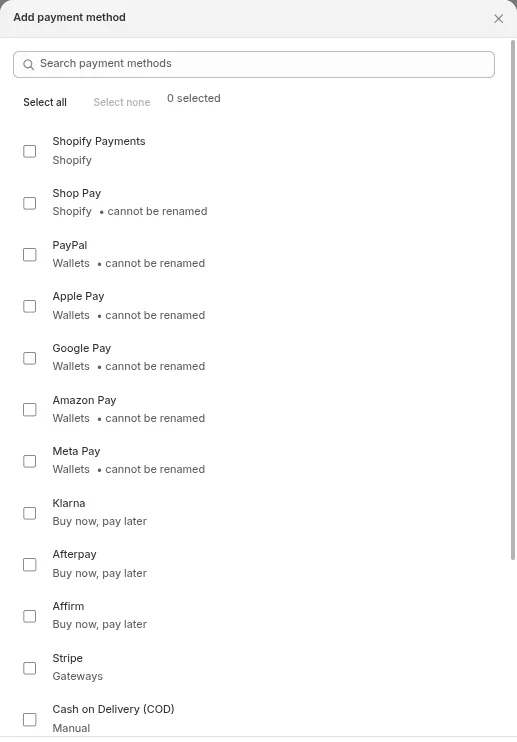
For the other cases, the same three steps apply: country is not your home market → hide cash on delivery; cart total below a small amount → hide bank transfer; any order (cart total above $0) → move your preferred method to the top. See all Checkout Validation features or how it runs on Shopify Functions, and the app's FAQ.
Test before going live
A rule goes live the moment you save it, so a mistake reaches real customers at once. Shopify's test orders guide explains how to check out without real charges, and Shopify Payments test mode gives you test card numbers. Remember that customers can't place live orders while your payment providers are in test mode, so pick a quiet time.
- A cart just above your amount hides the method, and one just below still shows it.
- An address in a hidden country hides the method, and your home country still shows it.
- Every order still has at least one way to pay.
- Renamed methods read clearly at checkout.
- You have checked the express payment buttons as well as the main payment list.
- Test mode is off again, and test orders are not fulfilled.
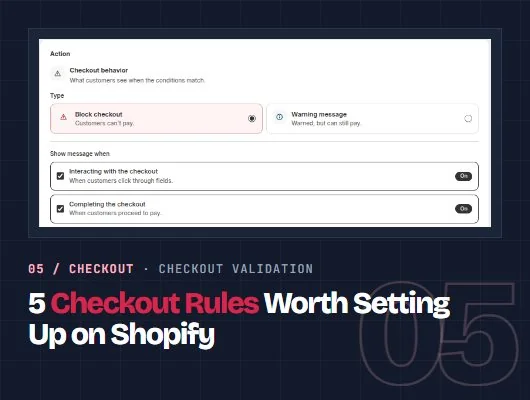
Hiding a method is not fraud screening. Keep reviewing risky orders with Shopify's fraud analysis and its fraud prevention advice, and see five checkout rules worth setting up for rules that block or warn on risky orders. More guides are on the CherryBytes blog, and all CherryBytes apps are on the homepage. Questions? Contact the CherryBytes team.
Questions merchants ask
Can I hide a payment method for some orders only?
Yes. Attach the hide action to a condition such as country or cart total, and the method is hidden only for orders that match.
Can I rename every payment method?
No. Wallets such as Shop Pay, PayPal and Apple Pay can't be renamed. The app marks which ones in its method list.
When does a new payment rule take effect?
As soon as you save it, so test it with orders that should and shouldn't match.